Hearth
One workspace for the work, the people, the customers, and the machines. Free to host yourself, easy to run on EmberNet.
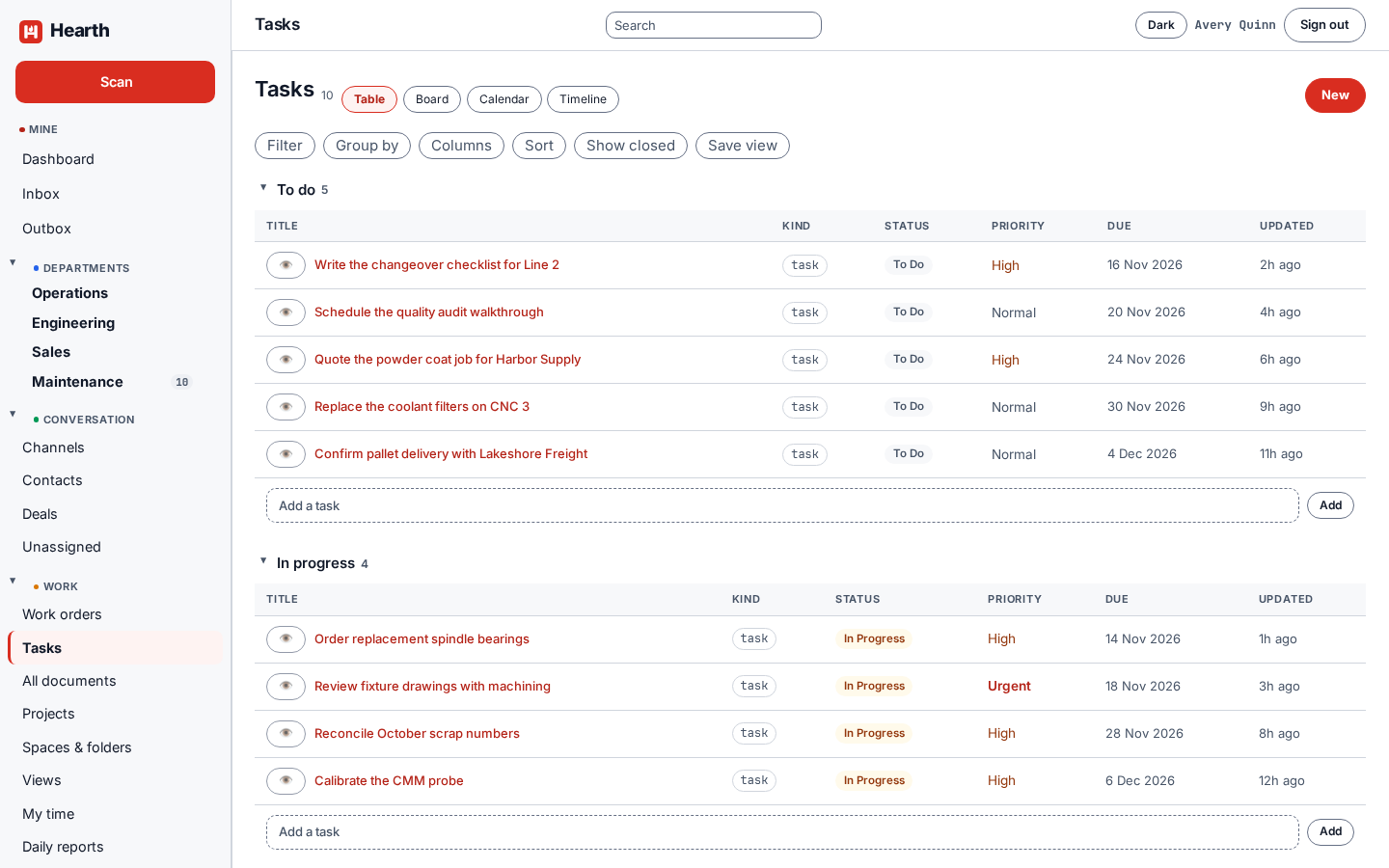
Hearth keeps tasks, documents, time, a sales CRM, assets and work orders in one place, so a job, the people on it, the hours spent, and the customer it is for are never in four different tools. It runs as one Go program with Postgres and an S3 object store behind it.
What it costs
Nothing. Hearth is released under the AGPLv3 license. Single sign-on and the audit log are included, there is one tier, and there is no paid edition to upgrade to. If you run a modified Hearth for people over a network, you share your changes, which is how it stays free for everyone.
What is in it
| Area | What you get | Guide |
|---|---|---|
| Tasks | Table, board, calendar, and timeline views, subtasks, checklists, comments, attachments, and saved views | Tasks |
| Spaces and departments | Departments with folders and projects inside them, and people who can belong to several | Spaces and departments |
| CRM | Companies, contacts, a deals board, call and note timelines, CSV import and export | CRM |
| Documents | Documents, wikis, templates, and notes, with an editor that handles checklists, links, and video | Documents |
| Calendar | Your events, your department's, due work, and who is out, with a feed for your phone | Calendar |
| Time | Timers and manual entries, approvals, time off you can change or cancel, daily reports, and time reports you can download | Time |
| Assets and work orders | An asset tree, work orders against assets, downtime, preventive maintenance schedules, and parts | Assets and work orders |
| Notifications | An inbox, email digests, quiet hours, and push notifications on your phone | Notifications |
| Administration | People, teams, admin rights, the audit log, outgoing mail, API tokens, webhooks, and rules | Administer Hearth |
| Integrations | EmberOps, Mautic, HubSpot, Google Workspace groups, and your sign-in provider | Integrations |
| Assistant connector | Let an assistant read and write Hearth as you, with exactly your permissions | Assistant connector |
Hearth also has channels and a message inbox, calls, a canvas for diagrams and floor plans, and an importer for work coming from other tools.
Two ways to run it
- On EmberNet. Deploy Hearth from the App Store in EmberCORE and sign in. EmberNet runs the platform underneath it. See Install Hearth.
- On your own hardware. Use the public Helm chart on Kubernetes, or the Podman Quadlet units on a single Linux box. Bring your own Postgres, your own S3, and your own sign-in provider if you like. See Install Hearth.
Hearth does not support Docker, and there is no Compose file. It runs on Kubernetes with Helm, or on Podman with Quadlet.
Next
Install Hearth, then take your first steps and learn how to sign in.